JAIPilot/ Docs
Set up JAIPilot in IntelliJ IDEA
Install the plugin, connect Codex or Claude Code, and run a job from the Jobs tool window.
Install JAIPilot ↗Install and connect
Follow these steps in IntelliJ IDEA. You can use an existing Codex or Claude Code login.
- 01
Install JAIPilot
Settings → Plugins → MarketplaceSearch for JAIPilot and install the plugin in IntelliJ IDEA.
- 02
Sign in to JAIPilot
Settings → JAIPilotChoose Sign in to JAIPilot to start your account trial.
- 03
Connect Codex or Claude Code
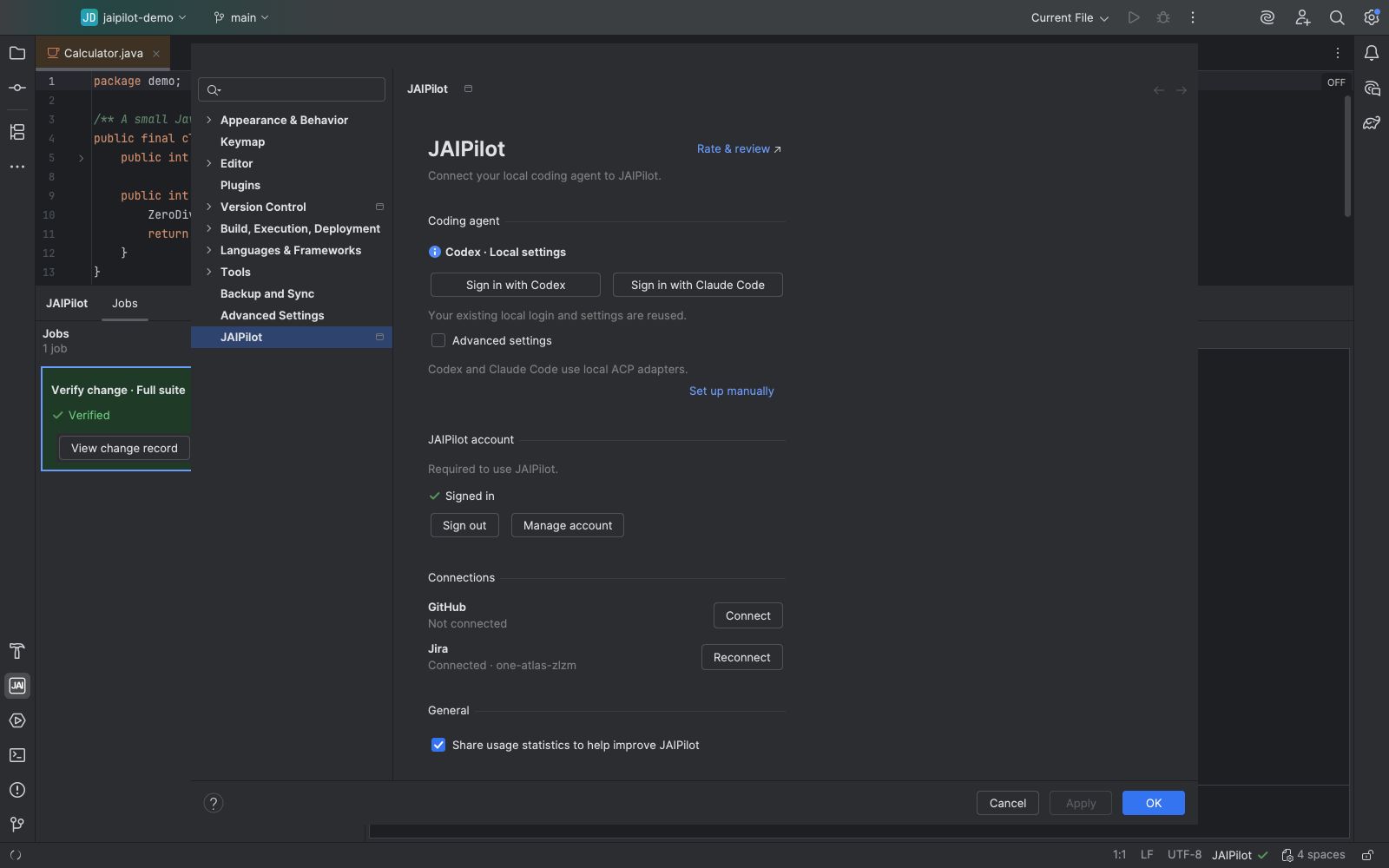
Settings → JAIPilot → Coding agentInstall Node.js 22+, then sign in to Codex or Claude Code. JAIPilot starts the local adapter and reuses your provider settings; no separate agent CLI is required.
- 04
Run a job
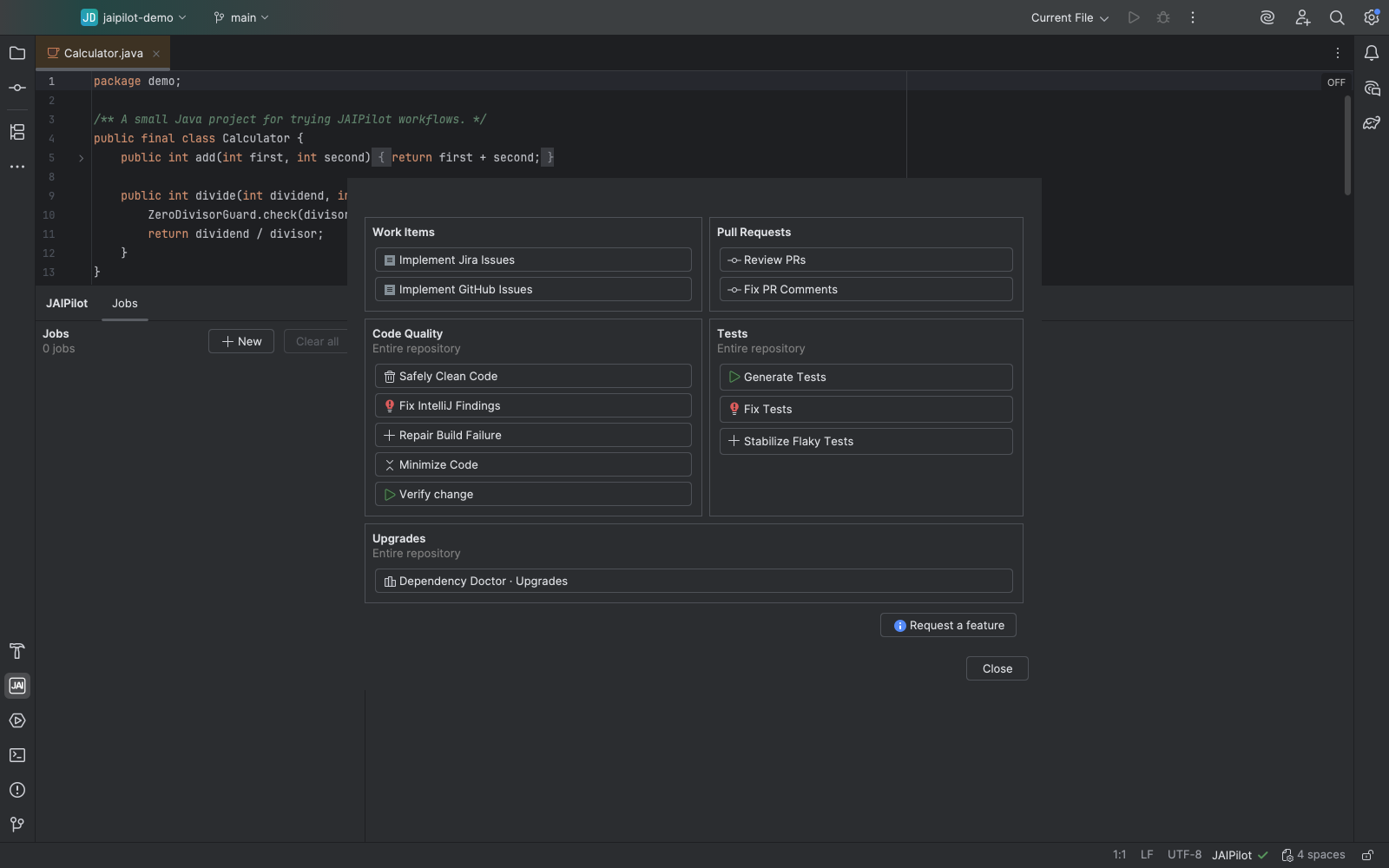
JAIPilot tool window → Jobs → NewChoose a workflow, or start from Java code in the editor's JAIPilot menu.
- 05
Inspect the result
JAIPilot tool window → JobsRead the checks and changed files. Open the IntelliJ diff before keeping or undoing edits.
Watch a job
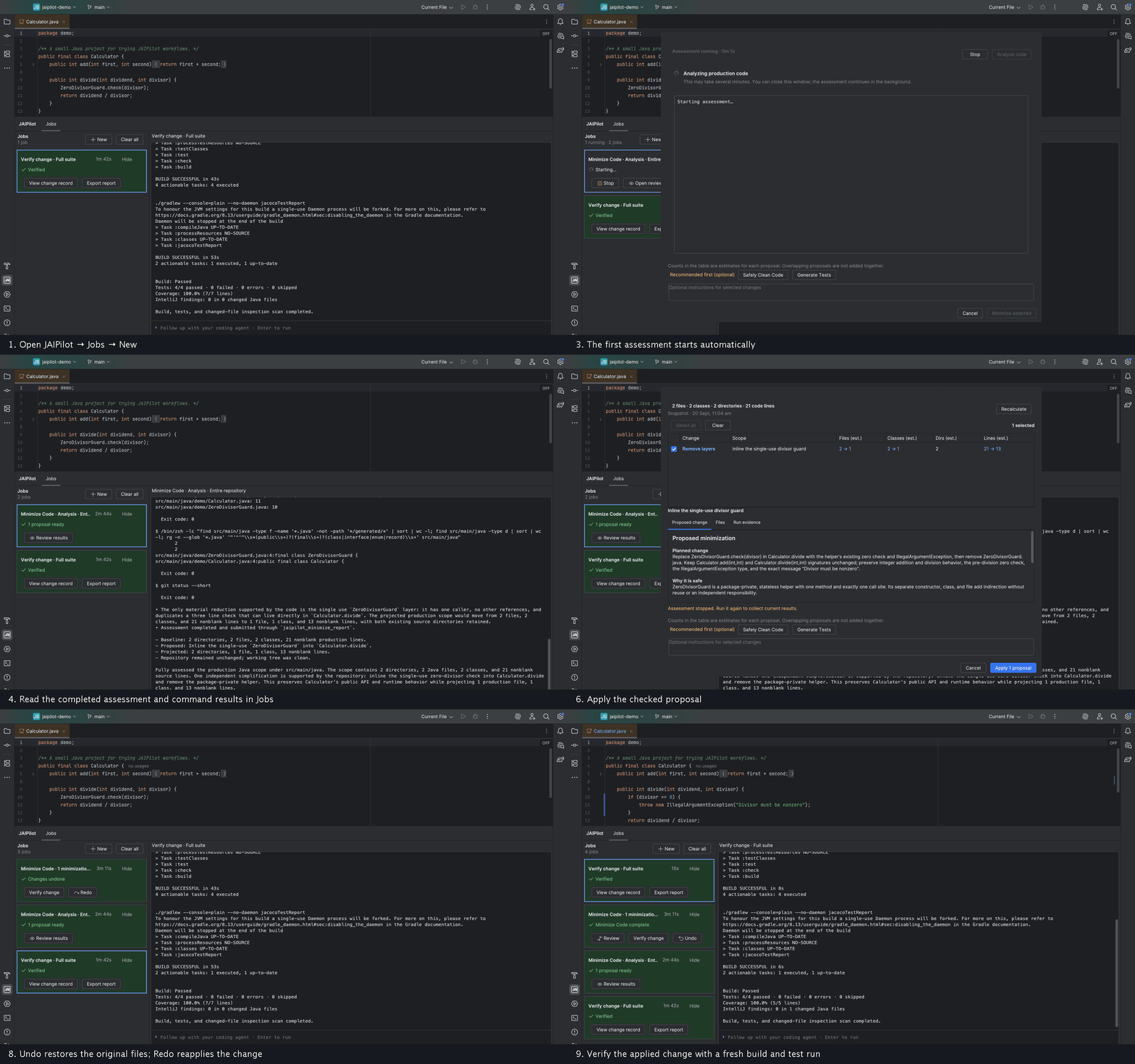
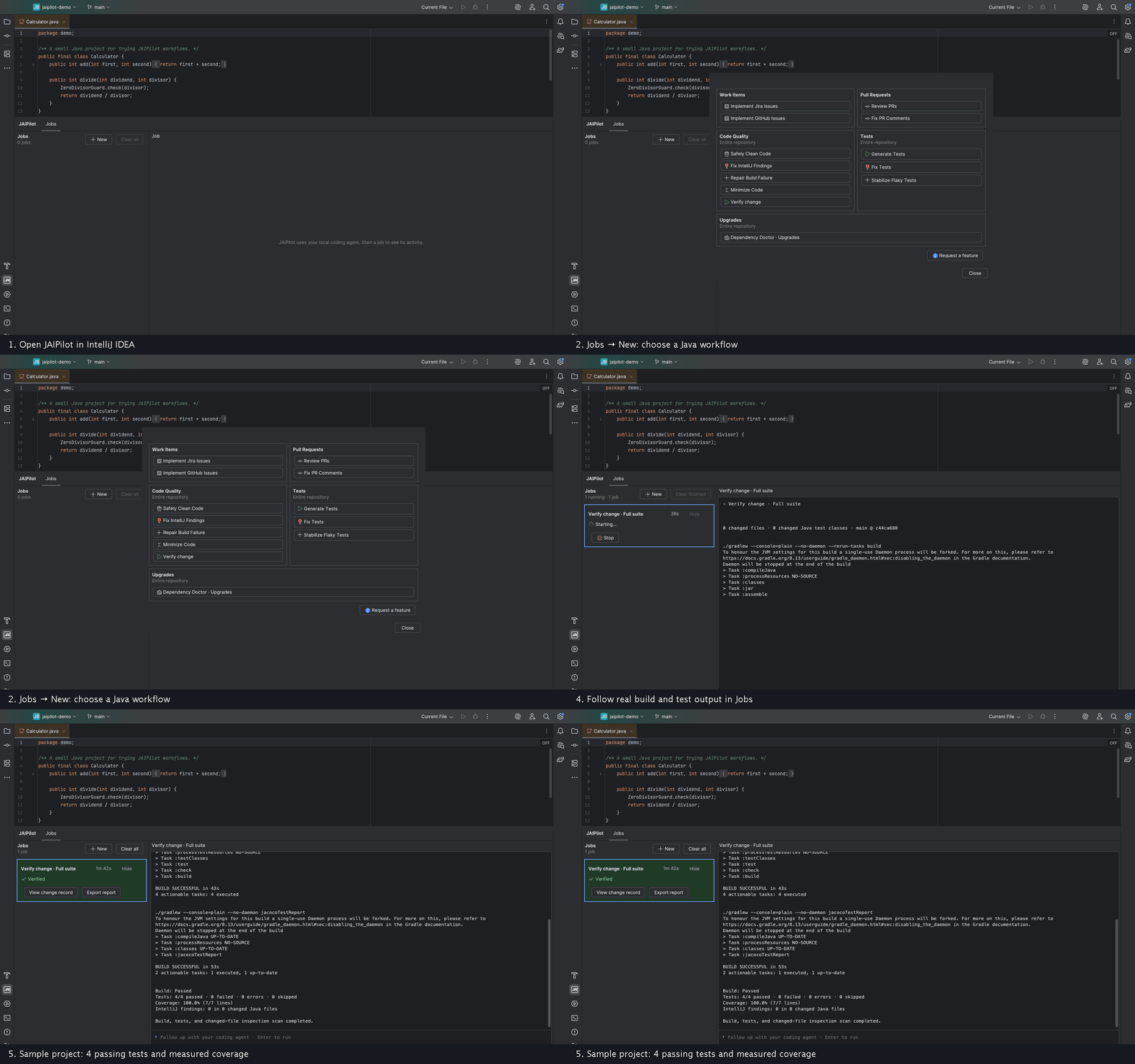
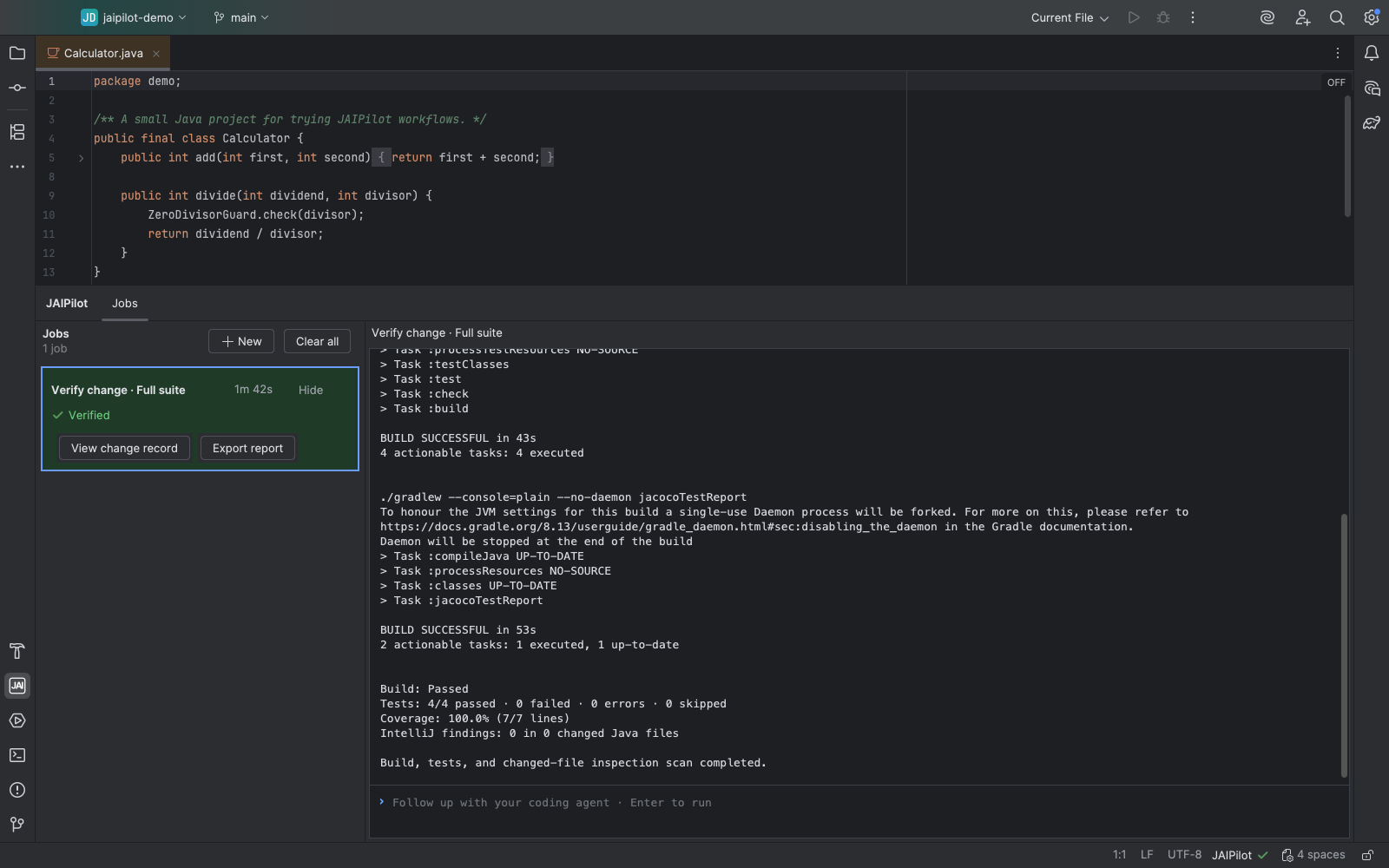
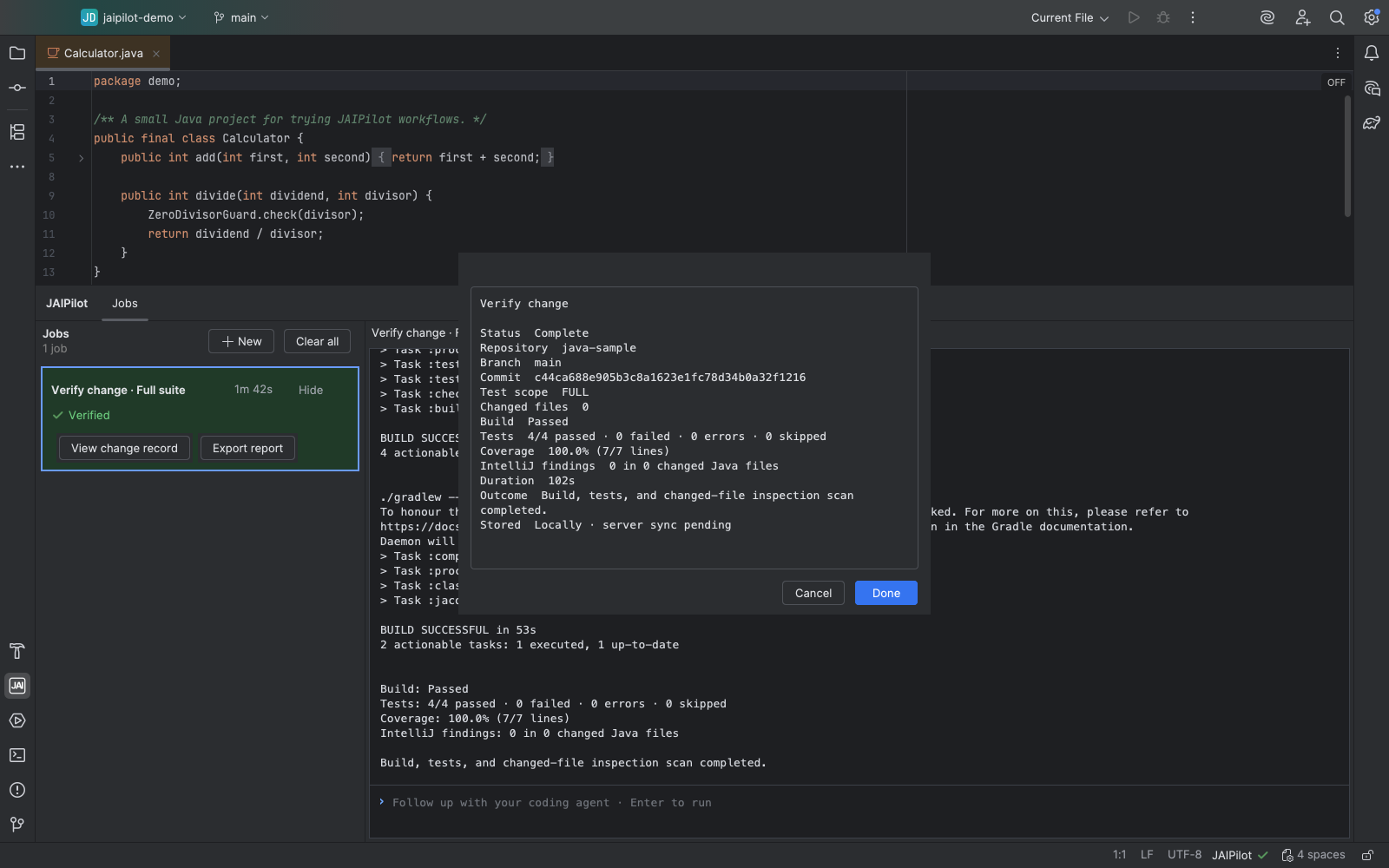
These captures show a Minimize Code proposal being reviewed and verified, followed by a Verify Change job.
Workflow reference
Choose a job by what you have now and the result you need.
Implement Jira Issues
Jira issue
One-shot implementation, diff, and checks
Implement GitHub Issues
GitHub issue
One-shot implementation, diff, and checks
Review PRs
GitHub pull request
Review findings to inspect and publish
Fix PR Comments
Selected review threads
Fixes and rerun checks
Safely Clean Code
Unused-code findings
Removal diff and remaining findings
Minimize Code
A Java class or repository
Proposals, diff, and verification
Dependency Doctor
Maven or Gradle dependencies
Repair or upgrade dependencies with compatibility evidence
Fix IntelliJ Findings
Selected inspection findings
Before and after inspection counts
Repair Build Failure
Failing Maven or Gradle build
Repair diff and rerun result
Generate Tests
Java classes or repository
Tests and JaCoCo coverage when available
Fix Tests
Failing tests
Test fixes and rerun result
Stabilize Flaky Tests
Suspected flaky test
Reproduction and rerun evidence
Verify Change
Current project changes
Build, tests, coverage, and inspections
Dependency Doctor helps repair or upgrade dependencies; Minimize Code simplifies code. Both keep a completed assessment until you select Recalculate. Opening a saved result does not run the assessment again.
Results and history
Jobs keeps the conversation, checks, and changed-file list together. Open a diff in IntelliJ before keeping or undoing an edit. A job can finish without changing code.
Analysis records coverage, IntelliJ findings, and PR or issue outcomes by repository and branch. Prompts, diffs, and terminal logs are not synced to the account dashboard.
Open Analysis →Install JAIPilot
Open the plugin listing in JetBrains Marketplace.